

Guest post by Batten Black
Quick Answer: To check your digital footprint, search your name online, review all exposed accounts, check breach databases, delete all unused profiles, and then improve your privacy settings. You can then reduce future exposure by limiting saved payment details, public personal information, and app permissions.
Your digital footprint is something to pay attention to, as it's a growing record of your identity, behavior, and all access points across the Internet. Unsurprisingly, your digital footprint is growing quickly. With a growing digital footprint also comes the increased risk of suffering a data breach.
The Identity Theft Resource Center reported 3,322 data breaches in 2025, a 79% increase over five years. This means that due to your growing digital footprint, your information and identity are now more at risk than ever before. If you're not actively checking your digital footprint, you're leaving it open to compromise. This guide details how to check your digital footprint and prevent data breaches from occurring.

Image courtesy of Batten Black.
Key Takeaways
- Your digital footprint includes everything from social profiles to old accounts and saved payment data.
- Most people underestimate how much of their personal information is publicly accessible.
- Data breaches are increasing, making exposure checks essential.
- Deleting unused accounts is one of the fastest ways to reduce risk.
- Virtual cards can limit financial exposure across multiple platforms.
- Ongoing monitoring is just as important as a one-time audit.
- Professional assessments help uncover hidden risks across your entire environment.
How to Check Your Digital Footprint at a Glance
| Step | How To Check Your Digital Footprint | What To Do |
|---|---|---|
| 1 | Google Yourself | Search your name, location, images, and old usernames. |
| 2 | Check Breach Exposure | See if your email or passwords have appeared in data breaches. |
| 3 | Delete Old Accounts | Remove unused profiles, apps, and services. |
| 4 | Review Social Media | Tighten privacy settings and remove revealing posts. |
| 5 | Scan Data Brokers | Find and remove public listings with your personal information. |
| 6 | Review App Permissions | Limit location, camera, microphone, and contact access. |
| 7 | Reduce Payment Exposure | Use Halocard to limit card exposure online. |
| 8 | Secure Email and Phone | Use MFA, separate emails, and remove public phone listings. |
| 9 | Set Up Monitoring | Use alerts for your name, breaches, and credit activity. |
| 10 | Get a Professional Assessment | Work with Batten Black for a structured cybersecurity review. |
1. Google Yourself (The Right Way)
When it comes to how to check your digital footprint, the first step is also the simplest. Simply search your name, but don't just stop at the basic search. You need to treat this like an investigator.
Search for your full name, variations, and combinations with your workplace or city. Check for older cached pages, news, images, and anything else. You're looking for anything that is even remotely publicly visible that could be tied back to you.
2. Check for Data Breach Exposure
Next, if you're really serious about checking your digital footprint, you need to know where your data has already been exposed. With cybercrime projected to cost upwards of $10.5 trillion annually by 2025 according to Cybersecurity Ventures, knowing if your data is at risk is very important.
You'll want to use breach check tools to identify any compromised accounts, including your email, work accounts, and personal accounts too. If any accounts are affected, update passwords immediately, and stop reusing old passwords as well. This is in fact one of the highest impact steps you can take.
3. Audit and Delete Old Accounts
An important part of checking your online digital footprint is knowing how many accounts you've created over time, with most people having dozens, if not hundreds. Each and every single account is a potential vulnerability, especially if it's tied to unused services or outdated credentials.
The goal here is overall reduction. List accounts you no longer use and deactivate or delete anything that isn't necessary. In some cases, deletion may not be possible, in which case you should strip the account of all personal data and disconnect payment methods.
4. Review Social Media Exposure
Social media plays a large role in your digital footprint, as it's generally the most visible and easiest source of personal information. Reviewing all of your social media profiles is critical. Even old tags and posts can reveal personal details.
To reduce your exposure, set all profiles to private wherever possible, remove posts that reveal routines, location, or personal info, and audit all third-party applications that are connected to your accounts. Remember, small pieces of data gathered from your social media can be combined to build a much bigger picture.
5. Scan Data Broker Listings
Data brokers collect and sell personal information, often without you even realizing it. This includes information such as phone numbers, addresses, and even estimated financial data. If you want to know how to check your digital footprint thoroughly, this is an essential step. You want to search your name on broker platforms, submit removal requests for any listings found, and repeat this periodically, as this data can reappear over time.
6. Review Devices and App Permissions
Your devices are always generating data, with applications tracking location, accessing contacts, and collecting usage patterns. A part of checking your digital footprint is knowing what your devices are sharing behind the scenes. Many permissions are granted once and then never reviewed again.
This means that you want to remove all unused apps from your devices, limit permissions such as camera, location, and microphone, and review all connected services and browser extensions. You want to reduce unnecessary permissions, as this helps cut off silent data collection that contributes to your overall footprint.
7. Reduce Financial and Payment Exposure
One of the most sensitive parts of your digital footprint is your financial data. The more places your card details are stored, the higher your risk.
Therefore, when it comes to reducing your digital footprint, a practical step is to remove saved cards from websites and browsers, review subscriptions tied to old accounts, and use separate payment methods for different services.
Tools such as Halocard let you issue dedicated virtual card numbers for individual merchants or subscriptions, isolating each service from your primary banking details. If any one merchant is breached, only that single card is exposed and you can lock or cancel it instantly without disrupting your other payments.
8. Secure Your Email and Phone Number
Both your phone number and email are gateways to your digital identity, and if they're exposed, unauthorized access becomes much easier. Checking your digital footprint in this sense means knowing where these details appear and how they're protected.
On that front, it's recommended that you use different emails for personal use, banking, and subscriptions. It's also recommended that you enable two-factor authentication across all accounts while also removing your phone number from public directories. The point here is to secure all possible entry points.
9. Set Up Ongoing Monitoring
You'll also want to set up ongoing monitoring. Data listings, breaches, and new accounts can appear at any time. Constantly monitoring ensures that you can catch issues early instead of reacting once damage is done. You'll want to set up credit monitoring, enable breach notifications, and even set up Google Alerts for your name. This is all about being proactive instead of just reactive.
10. Get a Professional Security Assessment
If your digital footprint is extensive or you have high exposure, a DIY approach may not be enough. In this case, professional review helps identify risks across multiple areas, and not just your online accounts.
Firms such as Batten Black provide structured assessments that go beyond surface-level checks, as they evaluate your overall digital infrastructure and account security, identify personal data exposure across multiple devices, and then help you develop a coordinated plan to reduce risk.
For those individuals with complex digital lives or higher visibility, this level of oversight provides long-term protection and clarity.
Frequently Asked Questions
How Do I Delete 99.9% of My Digital Footprint?
You can't totally erase your digital footprint, but you can reduce it significantly by deleting unused accounts, removing data broker listings, and tightening privacy settings. Focusing on public profiles and financial data is a good starting point.
Can People View Your Digital Footprint?
Yes, there are parts of your digital footprint that are publicly accessible, such as social media profiles, data broker listings, and search engine results. Even some private data may become visible through breaches.
How Do I Clear My Digital Footprint?
To clear your digital footprint, you must remove all unnecessary data. This includes actions such as opting out of data brokers, closing old accounts, limiting app permissions, and securing your personal information. Also, consistent monitoring prevents new exposure from building up over time.
How Do I Check My Google Footprint?
To check your Google footprint, search your name and various variations of it. You can then review results across images, web, and news tabs. You can also check your Google account settings for stored data such as saved locations, connected apps, and activity history.
How Do I Permanently Delete My Search History?
You can delete your search history through your browser and Google account. In Google, simply go to My Activity and delete past searches automatically or manually. However, keep in mind that although deleting history reduces stored data, it doesn't totally remove all traces of your online activity from external settings.
Sources
-
Cybercrime To Cost The World $10.5 Trillion Annually By 2025
-
What Is Cyber Hygiene? Definition, Best Practices & Daily Habits
Sources checked on May 5, 2026.
*Please see Halocard's Terms of Service or Pricing for the most up to date pricing and fee information. This publication is provided for general information purposes and does not constitute legal, tax or other professional advice from Halocard LLC or its subsidiaries and its affiliates, and it is not intended as a substitute for obtaining advice from a financial advisor or any other professional. We make no representations, warranties or guarantees, whether expressed or implied, that the content in the publication is accurate, complete or up to date.
Halocard Virtual Cards


Instant approval
Create your first card in under 5 minutes.

Private purchases
Purchases never appear on your bank account.

Powered by Visa
Accepted at 175M+ merchants globally.
3 steps to create your virtual credit card
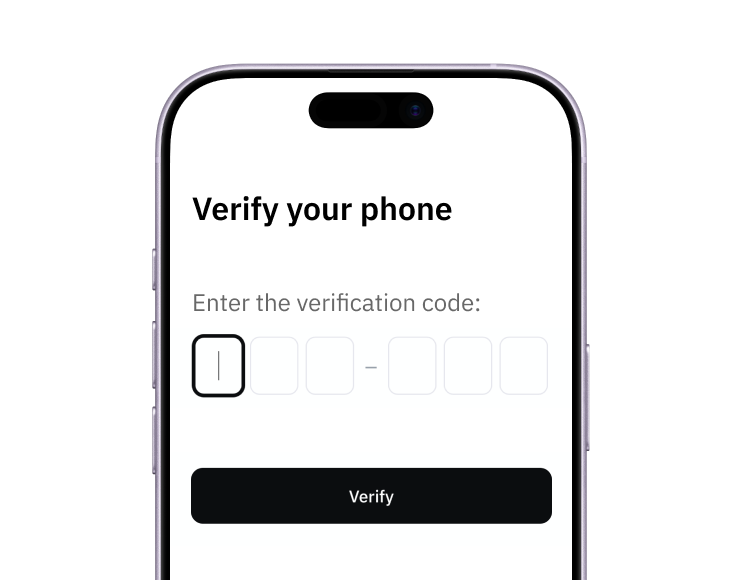
1. Sign-up with a phone
Sign up from your browser. No app download needed.
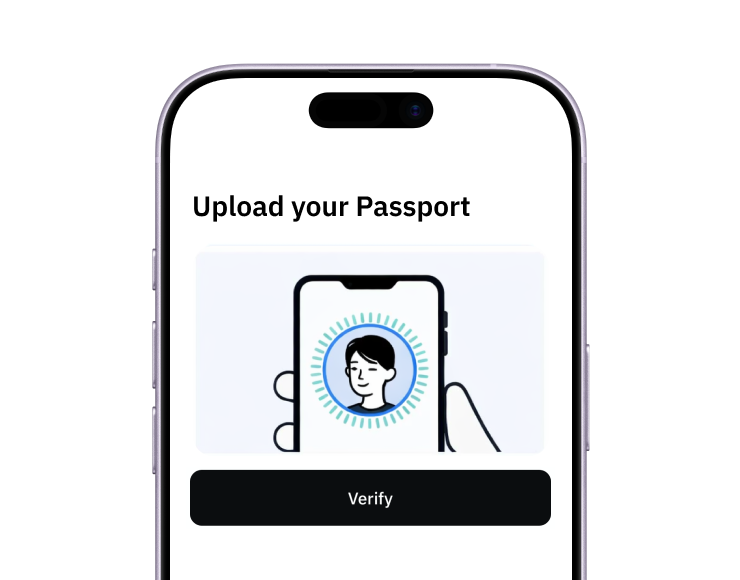
2. Quick identity check
Verify you're a real person in less than 3 minutes. No US residency required.
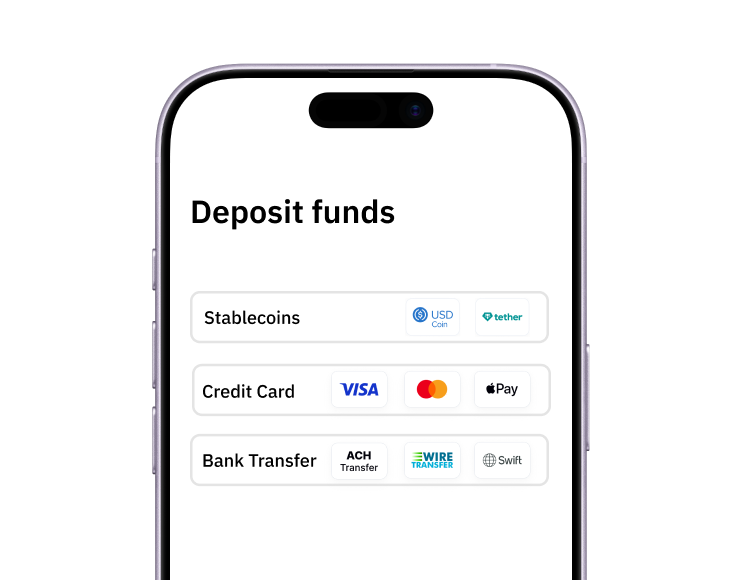
3. Add funds to your account
Use stablecoins, debit/credit card, or bank transfer (1%).
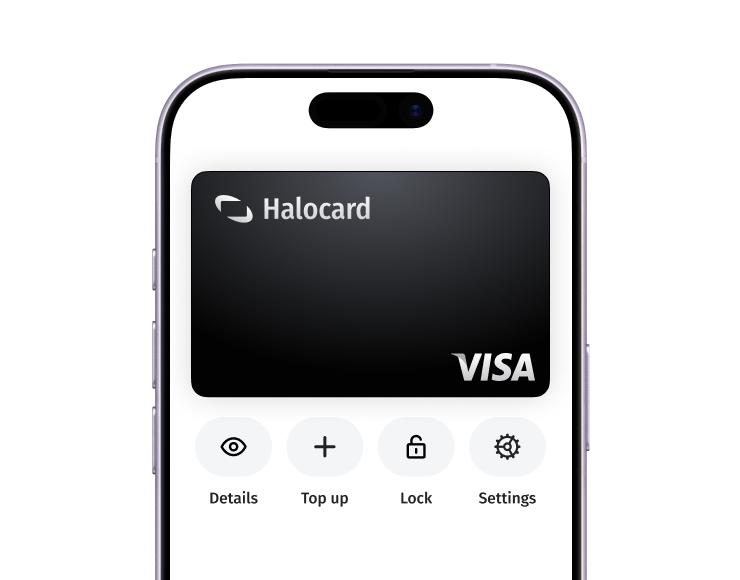
Your virtual card is ready.
That's it! Your virtual cards can now be used for online and in-person purchases anywhere in the world where Visa is accepted.