
-
DeGoogle efforts are realistic today because most major Google Apps now have very strong privacy focused replacements.
-
The easiest ones to disconnect from are Google Chrome, Google search, Gmail, and password managers, mainly because they require little or no data migration.
-
YouTube and Google Maps are some of the hardest services to fully replace as the content and infrastructure layers still belong to Google.
-
Most people can easily reduce Google exposure across their digital life in a couple of days without having to abandon every convenience feature.
Google is deeply integrated into everyday life, but that doesn't mean that you have to be logged into it forever. There are millions of people who now use Google alternatives for storage, e-mail, browsing, passwords, notes, photos, and even for their entire Android OS. Some people have joined the DeGoogle movement because of data collection and advertising concerns, whereas others simply want fewer dependencies on any single company controlling so much of their data, online activity, and devices.
This guide discusses all major categories of Google products, from Google Drive and Gmail to Google Calendar, Google Maps, Google Chrome, Google Docs, and more. It also explains what the strongest replacements are, where compromises have to be made, and how to approach the whole process without breaking your entire workflow.
Is DeGoogling Possible?
Yes, it is possible to DeGoogle for most people, although a fully Google-free setup still involves some tradeoffs. The easiest parts of this operation are replacing your search engine, browser, passwords, e-mail, and simple everyday apps.
However, the most difficult parts here are replacing YouTube, Google Maps, and the deeper infrastructure inside an Android phone.
With that being said, most users don't need to remove every single Google dependency to gain meaningful privacy improvements. Just replacing Google Chrome, switching away from Google search, migrating from Gmail, and relying less on Google's services cuts how much data flows into Google's advertising ecosystem.
| Tier | Services | Effort |
|---|---|---|
| Easy | Email, Browser, Search, Password Manager, Authenticator, Translate | Low |
| Medium | Calendar, Notes, Photos, Drive/Docs, Tasks | Requires migration |
| Hard | Smart Home, Custom ROM / Phone OS | Technical |
| Incomplete | Google Maps, YouTube, Wallet, TV OS, Car OS | Partial replacements only |
Most people can move anywhere from 70% to 90% of the dependency on Google services without really changing how much they use the Internet every day.
The Complete Google Replacement Map
| Google Service | Best Replacement | Runner-Up | Privacy Gain | Difficulty | Data Portability |
|---|---|---|---|---|---|
| Gmail | ProtonMail | Tuta | High | Easy | Yes |
| Chrome | Brave | Firefox / LibreWolf | High | Easy | Partial |
| Google Search | DuckDuckGo | Brave Search / Kagi | High | Easy | N/A |
| Google Passwords | Bitwarden | Proton Pass | High | Easy | Yes |
| Google Authenticator | Aegis / ente Auth | 2FAS | High | Easy | Yes |
| Google Calendar | Proton Calendar | Nextcloud Calendar | High | Medium | Yes |
| Google Keep | Notesnook | Standard Notes | High | Medium | Limited |
| Google Photos | ente Photos | Immich | High | Medium | Yes |
| Google Drive | Proton Drive | Nextcloud | High | Medium | Yes |
| Google Docs / Sheets | Proton Docs / CryptPad | LibreOffice Online | Medium to High | Medium | Yes |
| Google Translate | DeepL | LibreTranslate | Medium | Easy | N/A |
| Google Tasks | TickTick | Tasks.org | Medium | Easy | Limited |
| Google Maps | Organic Maps | OsmAnd | Medium | Hard | Partial |
| YouTube | NewPipe / FreeTube | Invidious | Medium | Easy | N/A |
| Google Pay / Wallet | Apple Pay + Halocard | Payment masking services | Medium | Medium | N/A |
| Google Home | Home Assistant | n/a | High | Hard | Partial |
| Android | GrapheneOS | CalyxOS / DivestOS | Very High | Hard | Partial |
| Google TV | Apple TV / Kodi | LibreELEC | Medium | Hard | N/A |
| Android Auto | Apple CarPlay | n/a | Medium | Hard | N/A |
Where to Start: The Recommended DeGoogle Migration Order
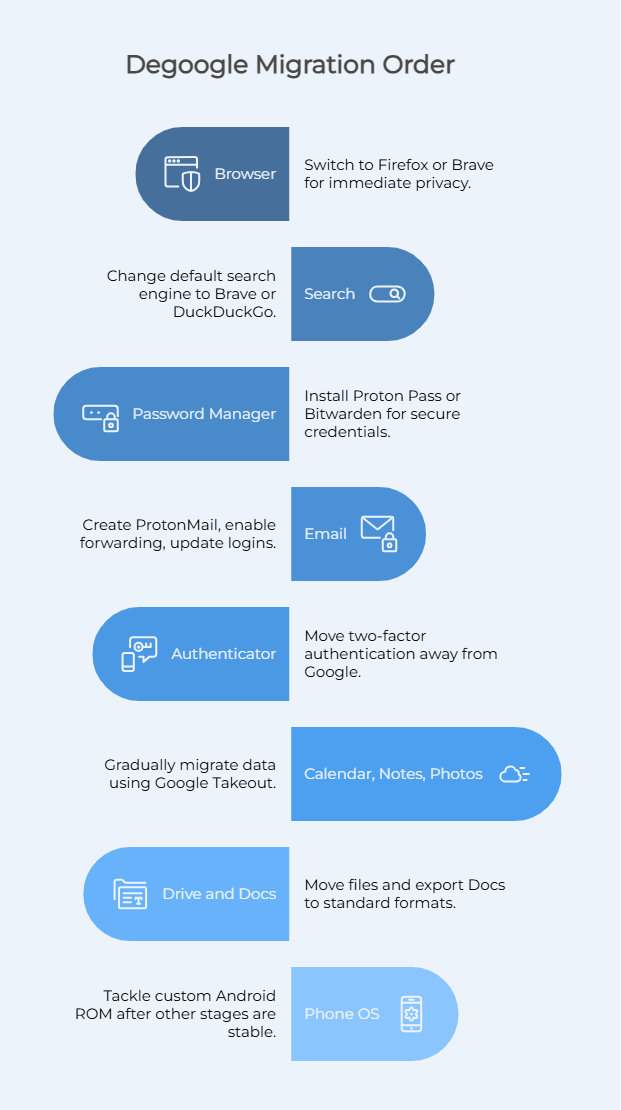
A great way to fail is to try and replace every Google product at once. Most successful migrations start with the easiest changes first and then gradually move towards the more technical areas, such as self hosted infrastructure and Android OS.
Browser: Switch from Google Chrome to Firefox or Brave, as this provides immediate privacy gains with virtually no migration work.
Search: Switch your default search engine in your browser to Brave or DuckDuckGo.
Password Manager: Install Proton Pass or Bitwarden before migrating any other account, as you'll need secure credentials during every step that follows.
Email: Create a ProtonMail account, enable Gmail forwarding, and then gradually update all of your important logins, but do not immediately delete Gmail.
Authenticator: Move all of your two factor authentication away from Google before changing any of your major accounts.
Calendar, Notes, and Photos: Gradually migrate by exporting your data with Google Takeout.
Drive and Docs: Move all of your files from Google Drive and export your Google Docs into other standard formats.
Phone OS: You should only tackle a custom Android ROM after everything else is stable, as this is by far the most technical stage of the process.
Every Google Service: Alternatives Explained
Here are all of the alternatives to Google services that you need to know about.
Gmail to ProtonMail
For most people out there, ProtonMail is the best replacement for Gmail as it combines usability with strong privacy protections. Emails between ProtonMail users are end to end encrypted, with Proton not being able to read those messages.
Emails sent outside of the Proton ecosystem are not automatically end to end encrypted unless PGP configuration is used. Keeping this in mind, the biggest adjustment is losing tight integration with Google Calendar, Google Drive, and Google Meet. Many users might also underestimate how deeply Gmail ties into their digital life, from shopping receipts and social logins to banking notifications.
However, migration is relatively straightforward, as you just have to use Google Takeout to export old mail and forward new messages during the transition period. Most people keep their Gmail active for about a month while updating logins across other important services.
Google Chrome Alternatives: Brave, Firefox, and LibreWolf
The easiest DeGoogle win is replacing Google Chrome. Brave is currently one of the best options available because it is Chromium-based, blocks trackers and ads by default, and works with virtually every extension built for Chrome. Many people who are looking into Google Chrome alternatives eventually narrow down the choice to Firefox or Brave.
Brave offers compatibility and a familiar experience, whereas Firefox provides stronger anti fingerprinting protections with strong manual hardening. LibreWolf takes things one step further by stripping telemetry and privacy invasive defaults from Firefox.
One of the biggest benefits of moving away from Google Chrome is reduced passive data collection that's tied to your browsing history, advertising identifiers, and synced profiles.
Chrome is deeply connected to Google services, and this is the case even when you're not actively using a Google site. Brave is a good starting point, but those who are privacy focused may prefer hardened Firefox or LibreWolf setups instead.
Google Search Alternatives
Replacing Google search is quite easy, with DuckDuckGo being one of the simplest starting points as it works immediately, it doesn't require setup, and avoids personalized tracking. However, Brave Search has also grown quickly thanks to it operating its own independent search engine index instead of relying on results from third-party providers.
We then have Kagi, which takes a different approach by charging a subscription fee in exchange for higher quality search results, fewer ads, less algorithmic clutter, and a cleaner interface. Startpage is another option to consider, as it provides Google powered results without directly tying any of your queries to your identity. This is a good middle ground between privacy and result quality, although accuracy is a trade off.
Google Search still performs much better for hyper local businesses, live location dependent queries, and transit timing. This gap matters less for general web search, research, and technical queries.
Google Passwords to Bitwarden
Browser based password storage can be extremely dangerous when tied to a single Google account. Therefore, exporting your passwords from Chrome and moving them into Bitwarden is one of the highest impact moves you can make in terms of privacy.
Bitwarden is open source, can be fully self hosted, and supports cross device sync. We then have Proton Pass, which integrates into the Proton ecosystem and also features strong end to end encryption.
Migration is very simple, as all you have to do is export passwords as a CSV file from Chrome, import them into your new password manager, and then delete the exported file right away as it contains plain text credentials. This step drastically improves your overall security and independence from Google's services.
Google Calendar Alternatives
Google Calendar can be difficult to leave because it connects to work scheduling, automated reminders, and family coordination. That said, Proton Calendar is right now one of the most polished and encrypted options, as it uses end to end encryption for event details.
Migration generally involves exporting ICS files from Google Calendar and then importing them into the new platform. Another good option is Nextcloud Calendar, particularly for people who are comfortable using self hosted infrastructure. Keep in mind that the biggest compromise here is collaboration. Shared scheduling inside Google's ecosystem still feels much smoother than most of these alternatives.
Google Docs and Google Drive Alternatives
Leaving Google Docs and Google Drive is where many people start to see real problems, as Google's collaborative editing tools are fast, polished, and very much integrated across the web.
For those looking to disconnect, Proton Drive now also includes Proton Docs, which provides users encrypted file storage and collaborative document editing. There's also CryptPad, which takes a different route with fully encrypted collaborative suites that work directly in your browser.
People who are running self hosted infrastructure generally choose Nextcloud with LibreOffice Online as this approach provides great control over all your data, although setup and maintenance requires technical expertise.
Google Photos Alternatives
Google Photos is one of the most difficult Google Apps to disconnect from because people have years of memories in there. ente Photos is now one of the best replacements because it combines a polished interface with end to end encrypted storage.
For highly technical users who want a completely self hosted photo platform, Immich is a preferred option, as it is very close to Google Photos, although it requires maintaining your own server or VPS. All of this in mind, the biggest thing you lose is AI functionality, as Google's memory generation, face grouping and scene recognition are difficult to match outside of Google.
Google Maps: The Hard One
Every honest DeGoogle guide will acknowledge that switching from Google Maps is very difficult, as there is simply no perfect replacement.
Organic Maps is one option that is excellent for lightweight navigation, hiking, and offline travel. OsmAnd is a bit more powerful but also more complex, whereas Apple Maps, although it has improved greatly, is only available for Apple device users.
Something to keep in mind is that the issue isn't just navigation, because Google Maps also combines transit information, business listings, live traffic, photos, reviews, and real time updates at a scale that no other independent platform can match.
Privacy conscious users do often compromise here, by using Organic Maps by default and then temporarily opening Google Maps in an isolated browser session for more difficult urban navigation. This may not satisfy the most hardcore of DeGoogle movement advocates, but it is the simple reality.
YouTube: The Unsolvable Problem
One of the most difficult problems to solve here is YouTube. The content itself belongs to Google, so even all of the best YouTube alternative platforms can't replicate that library. Instead, most tools focus on privacy preserving access to YouTube content. NewPipe is one option which allows Android users to watch videos without a Google account.
FreeTube does something similar on desktop systems, whereas Invidious provides web-based front ends for watching YouTube without feeding Google's recommendation engine and advertising systems. PeerTube is one of the few truly independent alternatives, but the amount of content present is minimal. The honest answer here is that most people who fully DeGoogle still end up going back to YouTube content in some way.
Google Pay and Payment Masking
Google Wallet connects your purchases directly to your Google identity, and that creates a large layer of data collection that many people aren't aware of. This is where payment masking services fit into the equation. A masked payment system separates your real financial details from merchants.
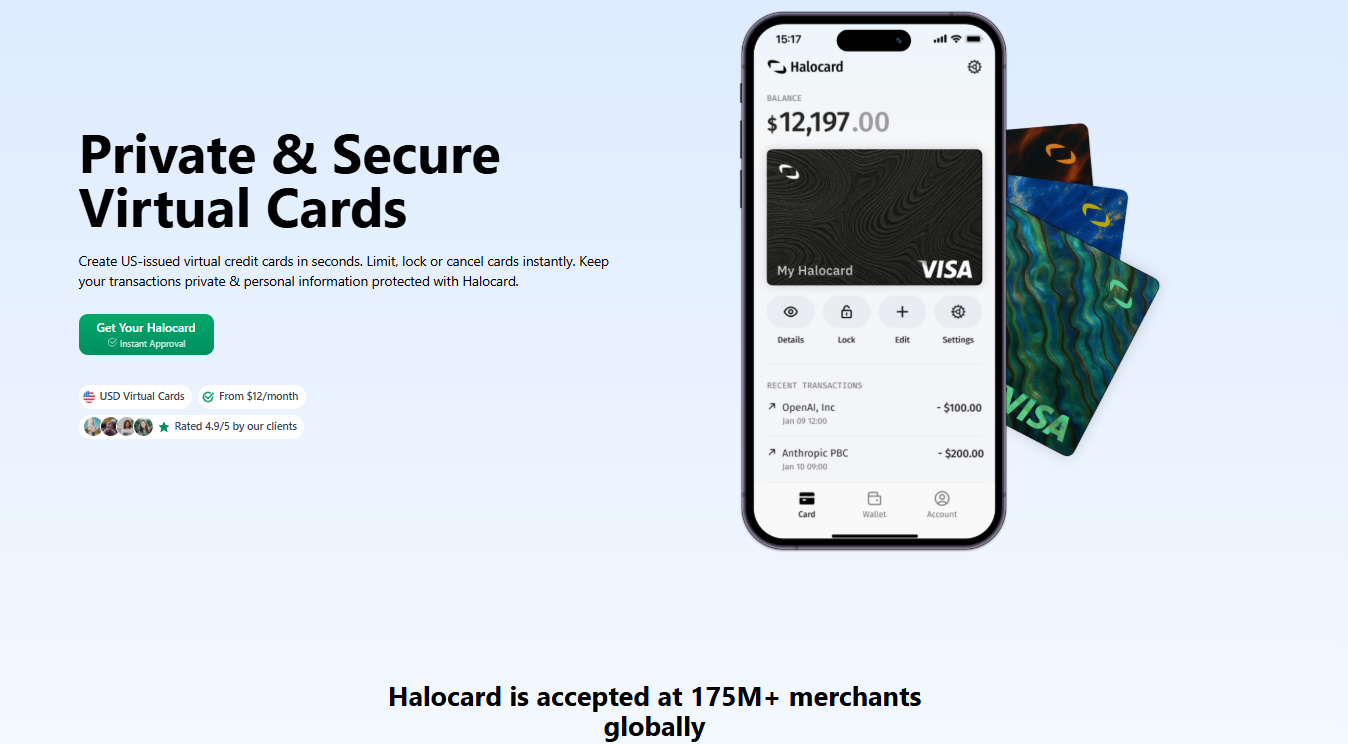
Halocard positions itself around this idea. Instead of exposing one permanent card everywhere online, Halocard allows users to create separate virtual cards for different merchants, apply spending controls, and isolate payment activity across different services. Halocard masks your primary credit card and banking details, so that your real information is never exposed online.
Google Home and Self Hosted Smart Homes
When it comes to self hosted smart homes, Home Assistant is considered the gold standard. Unlike Google Home, it runs locally and provides users with direct control over devices and automations. However, there is a trade off, which is complexity.
Google Home works because it abstracts away technical setup. On the other hand, Home Assistant requires hardware planning, active maintenance, and compatibility troubleshooting. That said, for people who are concerned about mass surveillance, constant Voice Assistant monitoring, and cloud dependency, the shift can be worth it.
Android OS Alternatives
Regular Android OS builds remain heavily connected to Google services, especially through Play Services and background telemetry. For those who want more privacy, GrapheneOS is regarded as one of the strongest Android ROMs available today. That said, it only supports Google Pixel devices because Pixel hardware provides the strongest verified boot and security architecture. CalyxOS is another option to consider, as it's more accessible. Some users, however, eventually decide to just switch to iPhone while removing Google Apps entirely.
How to DeGoogle Your Android Phone
Let's talk about how to DeGoogle your Android phone.
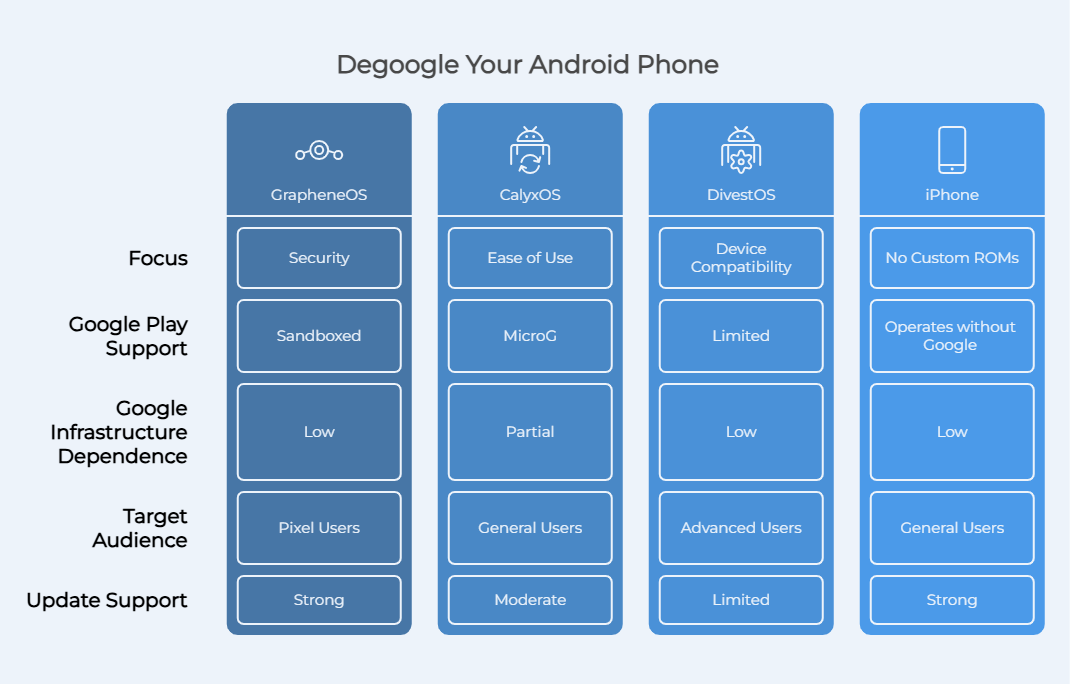
Option A: GrapheneOS
Your first option is GrapheneOS, which is the most security focused main stream Android ROM available today. It's designed specifically for Google Pixel hardware because Pixel devices include stronger hardware backed protections and verified boot capabilities. One of the biggest advantages is the sandboxed Google Play support, as you can still install many regular Android apps, including Google Apps, but they run in isolated containers instead of receiving privileged system level access.
Option B: CalyxOS
The next option is CalyxOS, which is much easier for users who aren't technical as it includes MicroG support by default. MicroG also partially replicates some of Google's functionality so that more apps continue working normally. However, the tradeoff here is that MicroG still communicates with portions of Google infrastructure, therefore reducing dependence on Google rather than fully eliminating it.
Option C: iPhone
Finally we have Option C, the iPhone. This is a way to skip custom ROMs. Yes, Apple still collects data but an iPhone is able to operate almost entirely without Google's services.
Samsung-Specific Note
Keep in mind that Samsung devices already layer One UI on top of Android, which means that you can reduce Google exposure without having a custom ROM. Simply disable unnecessary Google Apps, switch your default browser, avoid syncing your Google account, and reduce Play Services dependency wherever possible.
The DeGoogle Movement: What You Cannot Fully Replace (Yet)
Some parts of the DeGoogle process still involve compromises.
-
Google Maps remains the strongest mapping platform for live traffic and business discovery.
-
YouTube has no true content replacement.
-
NFC payments on DeGoogled Android devices remain limited.
-
Some banking and streaming apps refuse to run without Google Play Services.
-
Smart home migrations often require replacing hardware and building self hosted infrastructure.
-
TV and car operating systems remain dominated by major big tech companies.
Frequently Asked Questions
Is DeGoogling Difficult to Do?
No, basic DeGoogling changes are relatively easy for most users, as replacing your browser, e-mail provider, search engine, and password manager can usually happen in a single day.
Is DeGoogling Worth It?
Yes, for many people DeGoogling is worth it if reducing advertising profiling and centralized data tracking is important to you. Replacing Gmail, Google Chrome, and Google search alone greatly reduces passive data collection.
What Are the Disadvantages of DeGoogled Phones?
The biggest disadvantages to having a DeGoogled phone include compatibility issues, weaker NFC payment support, reduced Google Maps quality, and some Play Services problems. Some apps just assume that Google infrastructure exists.
Can I DeGoogle Without Replacing My Phone's OS?
Yes, you can DeGoogle your phone without replacing your phone's OS. Simply replace Google Chrome, change your default search engine, uninstall unnecessary Google Apps, and reduce reliance on your Google account.
Does DeGoogling Mean Deleting My Google Account?
Most people gradually migrate away from Google's services and then decide whether or not they fully want to close their account. Remember that keeping your Google account temporarily open makes migration easier.
What's the Best Google Search Replacement?
At this time, DuckDuckGo is the best Google search replacement.
Can I DeGoogle an iPhone?
Yes, iPhones can operate almost entirely without Google. Just remove Google Apps, switch your browser, replace Google search, and remove Gmail.
What Happens to My Data When I Switch From Gmail?
Your Gmail data can be exported, with most people enabling forwarding temporarily while updating logins across important services.
Is GrapheneOS Safe to Use?
Yes, GrapheneOS is regarded as being one of the most secure mainstream Android operating systems available today. It has strong hardening features and frequent updates.
Can I Still Use Google Services on a DeGoogled Phone?
Yes, you can still use Google services on a DeGoogled phone, especially if you're using GrapheneOS. Sandboxed Play Services let many regular Android apps and some Google products continue functioning while limiting privileged access.
Sources
-
Android Authority. I tried to de-Google my life, but it's not nearly as easy as it sounds
-
Stackademic. How to DeGoogle your life and why you should | by Anastasios Antoniadis | Stackademic
-
Privacy Guides. How To DE-GOOGLE Your Phone! (2025) - General - Privacy Guides Community
-
XDA Developers. I'm de-Googling my life, and here's how I'm starting
-
Proton. How (and why) to deGoogle your life and protect your privacy | Proton
-
Halocard. Instant, Private & Secure Virtual Cards | Halocard
-
GrapheneOS. GrapheneOS: the private and secure mobile OS
-
CalyxOS. CalyxOS
Sources checked on May 20, 2026.
*Please see Halocard's Terms of Service or Pricing for the most up to date pricing and fee information. This publication is provided for general information purposes and does not constitute legal, tax or other professional advice from Halocard LLC or its subsidiaries and its affiliates, and it is not intended as a substitute for obtaining advice from a financial advisor or any other professional. We make no representations, warranties or guarantees, whether expressed or implied, that the content in the publication is accurate, complete or up to date.
Halocard Virtual Cards

Instant approval
Create your first card in under 5 minutes.

Private purchases
Purchases never appear on your bank account.

Powered by Visa
Accepted at 175M+ merchants globally.
3 steps to create your virtual credit card
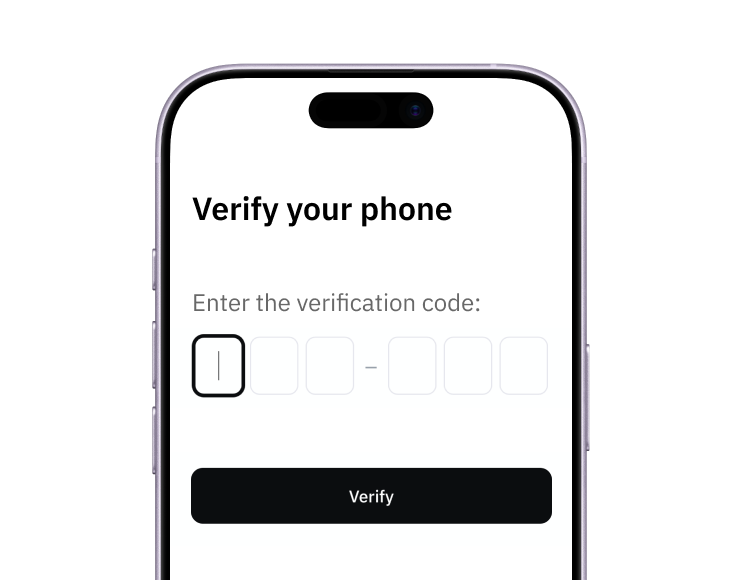
1. Sign-up with a phone
Sign up from your browser. No app download needed.
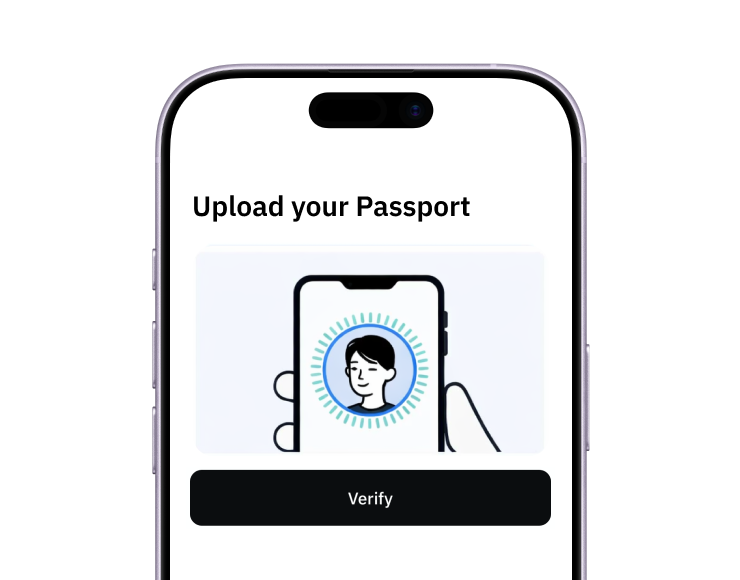
2. Quick identity check
Verify you're a real person in less than 3 minutes. No US residency required.
3. Add funds to your account
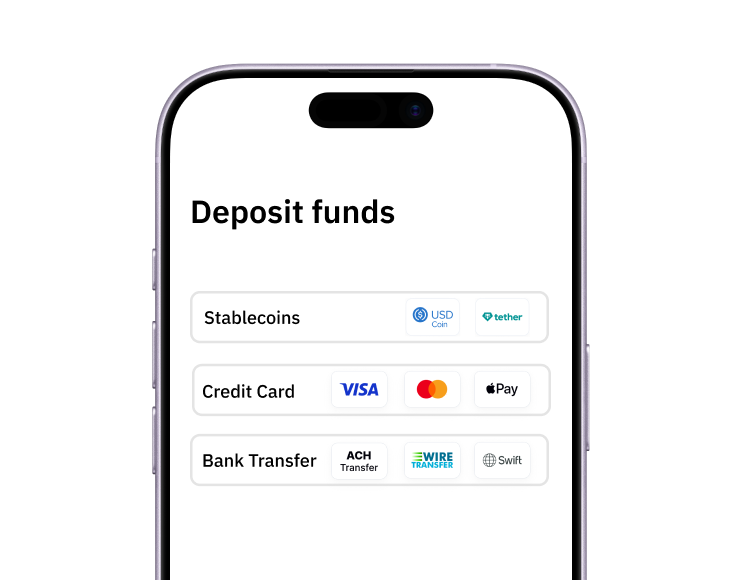
Use stablecoins, debit/credit card, or bank transfer (1%).
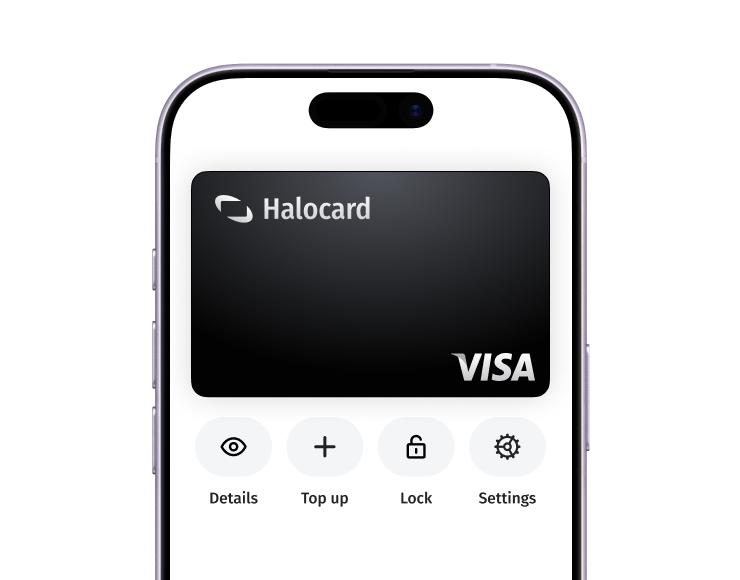
Your virtual card is ready.
That's it! Your virtual cards can now be used for online and in-person purchases anywhere in the world where Visa is accepted.