
-
A virtual credit card may come from either traditional credit card issuers or standalone providers that allow you to create virtual cards online.
-
Some providers may issue a virtual card instantly, whereas others may require identity verification before you can start spending or pay online.
-
International users can now get a virtual credit card product without a US SSN through certain platforms, although KYC rules still generally apply.
-
Most users are able to access their first virtual credit card number within just minutes after funding their account and completing verification.
What Is a Virtual Credit Card?
A virtual credit card is just a digital version of a traditional credit card that exists online rather than as a plastic physical card in your pocket. Instead of swiping an actual credit card, you receive a digitally generated card number, security code, and expiration date which can be used for online shopping and contactless purchases, depending on the provider.
Most providers will generate a unique virtual card number that is connected either to a funded balance or a real credit card account. In many cases, the virtual credit card product can act as an actual credit card to merchants, even though there might not be any printed physical credit card attached to it.
There are two main ways to get a virtual card, with the first way being through a bank or card issuer. Some credit card issuers and financial institutions now offer virtual credit cards directly through their bank's app, browser extensions, or digital wallets such as Samsung Pay, Google Pay, and Apple Pay.
The second way is to go to standalone virtual card providers, which are platforms that allow users to create virtual cards independently from a traditional bank. This option is especially common for subscription services, online use, international payments, and ad platforms. Unlike physical card products, a virtual credit card is designed primarily to pay online, protect your actual credit card information during online shopping, and to manage subscriptions.
Types of Virtual Credit Card
There are three main options to consider here, which include bank issued virtual credit card numbers, standalone platforms, as well as prepaid and funded virtual card products.
Bank-Issued Virtual Credit Card Number Options
Many major credit card issuers now offer virtual credit cards that are tied directly to an existing credit card account.
Here, the virtual credit card number connects to your existing credit line, making it similar to your normal credit card while also adding an extra layer of security. Instead of exposing your actual card number during online purchases, the system generates merchant specific or temporary virtual card numbers.
Some providers even create virtual card numbers automatically for different transactions. This is a very useful setup for people who use subscription services, shop online, or want better protection during online transactions.
Some providers that support virtual card numbers include Capital One, JPMorgan Chase, and Discover. One of the biggest advantages here is convenience as the virtual credit card product is attached to your existing account and credit card bill, for easy visibility. That same connection means spending is not separated from your primary account, so it provides less privacy than a standalone virtual card.
Standalone Platforms and Digital Wallets
We then have standalone providers, such as Halocard, which issue independent virtual card products outside of traditional banks. These services are increasingly popular among businesses, freelancers, international users, and advertisers.
The majority of standalone platforms allow users to create virtual cards, set spending controls, block or freeze cards instantly, generate a separate virtual card number for different merchants, and use digital wallets such as Apple Pay and Google Pay. These standalone providers are often used for SaaS tools, online services, streaming platforms, online merchants, ad accounts, and more.
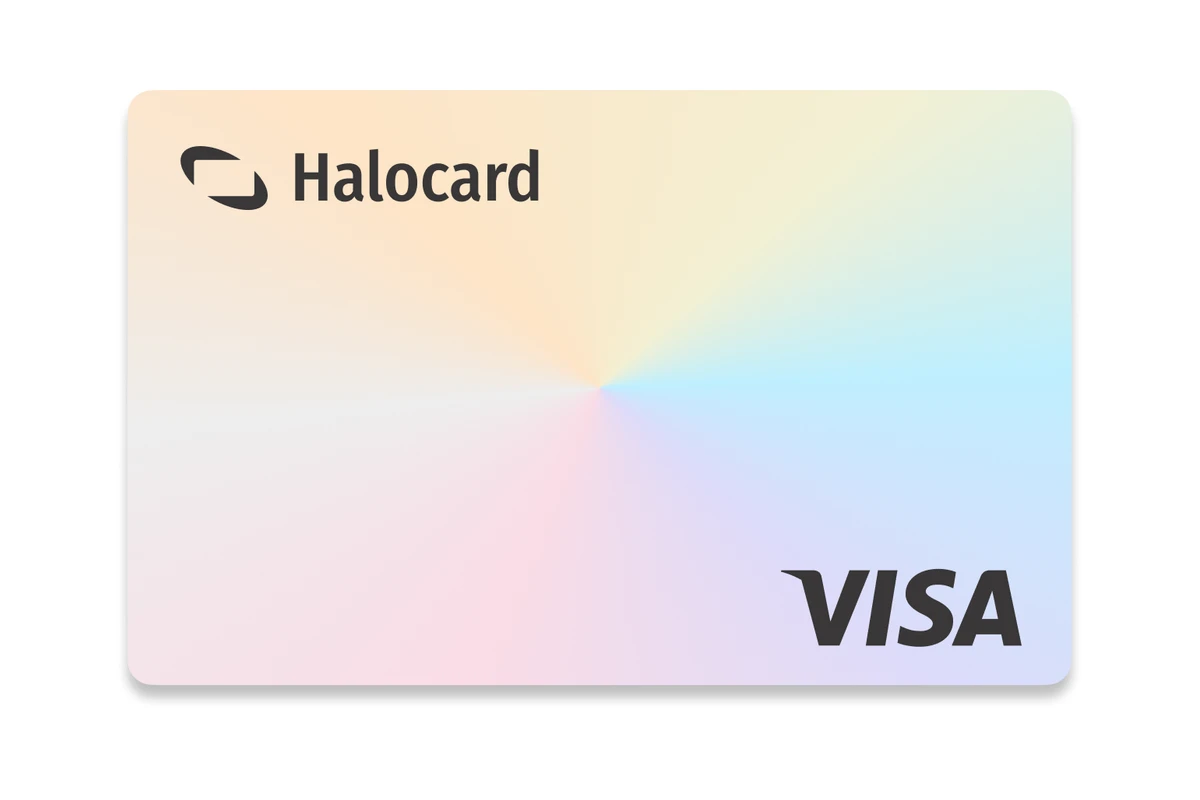
Because many providers issue a digital version of a US Visa or Mastercard product, they often work better for US based billing systems than international prepaid cards. Halocard is one such example of a virtual secured Visa credit card that has a US BIN, therefore featuring strong acceptance.
Prepaid and Funded Virtual Card Products
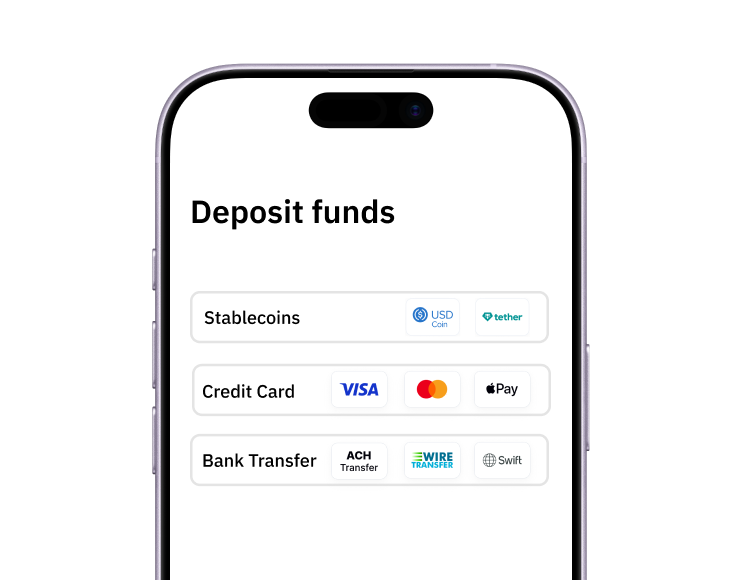
Prepaid virtual credit card products work a bit differently from traditional revolving credit card accounts. Instead of drawing on a credit line, you preload your funds before spending. These cards are generally easy to access because they don't always require approval for a new credit card. Some providers only require identity verification and funding. Prepaid products are often funded through debit card, existing bank accounts, stablecoins, wire transfer, and ACH transfer.
How To Get a Virtual Credit Card Online, Step by Step
As mentioned above, there are two main ways to get a virtual card product online, either through your existing card issuer or through a standalone platform.
Track 1: Existing Eligible Credit Card Holder
If you are an existing credit card holder and your current card issuer supports a virtual credit card, this is often the easiest option. If it does not support virtual cards, or you want to separate online spending from your main account, Halocard is likely the better fit. Below are instructions for several main providers.
Discover Virtual Card Setup
Discover allows some eligible users to access a digital version of their card through its tools and wallet integrations.
-
Log into your Discover account.
-
Open the bank's app or online dashboard.
-
Look for virtual or wallet-related settings.
-
Generate a virtual credit card number if available.
-
Add the card to digital wallets like Google Pay or Apple Pay.
-
Use the virtual card for online use and contactless payment.
JPMorgan Chase and Apple Pay
Chase focuses heavily on wallet integration rather than disposable numbers. Adding an eligible card to a wallet tokenizes the card details presented to the merchant, but it does not conceal the transaction from Chase.
-
Open the Chase app.
-
Add the eligible credit card to Apple Pay or Google Pay.
-
Access the temporary digital version of the card immediately.
-
Use the card through compatible digital wallets or for approved online transactions.
Chase Media Solutions describes how Chase Offers uses customers' purchase history and first-party transaction data to target offers and measure campaigns. In practical terms, wallet tokenization protects the card details given to a merchant but does not separate the purchase from Chase's customer-data businesses.
Capital One and Browser-Based Virtual Credit Card Number Tools
Capital One is one of the best-known providers for browser-based virtual credit card tools.
Typical process:
-
Create or log into your Capital One account.
-
Install the Capital One browser extension in Google Chrome.
-
Generate a unique virtual card number for different merchants.
-
Use separate virtual credit card number profiles for online shopping and subscriptions.
Track 2: Standalone Virtual Credit Card Options
Standalone providers are usually better if you:
-
Live outside the US
-
Want multiple virtual card profiles
-
Need separate cards for subscription services
-
Want improved privacy during online shopping
-
Need a US-issued payment method
Halocard
Halocard issues US-issued secured Visa credit cards that behave like a real credit card with merchants.
-
Create an account online.
-
Complete KYC verification.
-
Fund the account.
-
Generate your virtual credit card number.
-
Configure spending controls.
-
Start spending immediately.
Because the platform issues a US-based Visa product, Halocard often works better with US billing systems and ad platforms.
Privacy.com
Privacy.com focuses heavily on privacy-focused virtual card controls.
-
Create a Privacy.com account online.
-
Link your existing bank account.
-
Complete KYC verification if required.
-
Generate a unique virtual credit card number.
-
Set spending limits or merchant restrictions.
-
Use the virtual card for online shopping, subscription services, and recurring billing.
Revolut
Revolut supports disposable virtual card products and international payments.
-
Create a Revolut account through the mobile app.
-
Complete identity verification.
-
Add funds using a bank account, transfer, or debit card.
-
Open the cards section and select virtual card creation.
-
Generate a reusable or disposable virtual card number.
-
Add the card to Apple Pay, Google Pay, or Samsung Pay for contactless payment.
Wise
Wise focuses on international transfers and multi-currency spending.
-
Create a Wise account online or in the mobile app.
-
Complete KYC verification using your ID documents.
-
Add funds to your Wise balance.
-
Open the cards section in the dashboard.
-
Generate a virtual credit card number tied to your balance.
-
Use the card for online shopping, recurring online services, and international payments.
Virtual Credit Card Options at a Glance
| Provider | Card Type | Who It's For | Credit Check | US Residency | KYC | Network | Monthly Cost |
|---|---|---|---|---|---|---|---|
| Halocard | Secured Visa credit card | International users, advertisers, SaaS spend | No | No | Yes | Visa | From $12/month |
| Privacy.com | Virtual card linked to funding source | Privacy-focused US users | No | Yes | Yes | Visa | Free tier available |
| Revolut | Prepaid virtual credit product | Travelers and global users | No | No | Yes | Visa/Mastercard | Free tier available |
| Wise | Multi-currency virtual card | Freelancers and remote workers | No | No | Yes | Visa/Mastercard | No monthly fee |
| Capital One | Bank-issued virtual credit card number | Existing Capital One customers | Existing approval | Yes | Existing bank KYC | Mastercard/Visa | Included |
| Chase | Wallet-based virtual credit access | Existing Chase users | Existing approval | Yes | Existing bank KYC | Visa | Included |
| Discover | Digital credit card access | Existing Discover customers | Existing approval | Yes | Existing bank KYC | Discover | Free tier available |
What To Expect During the KYC Process for a Virtual Credit Card
KYC stands for know your customer, and it's the verification process used by financial institutions, regulated providers, and banks before issuing a virtual credit card. Most providers require users to verify identity, address, age, and residency.
Typical documents often required include driver's license, national ID, proof of address, and passport. With that being said, many providers now use selfie or liveness verification through your mobile device.
This is a system that compares your uploaded documents with your selfie to confirm identity before activating your virtual card. Some providers are able to complete KYC within minutes, whereas others may manually review applications. International users should also check residency restrictions carefully because many credit card issuers only support specific countries.
Many providers also maintain strict security policies around document storage and verification data. It is also important to note that for non-US residents, not every provider requires a US SSN. Some standalone platforms, such as Halocard, allow users to apply using foreign identification instead.
How To Fund a Virtual Credit Card
The funding method depends on the type of virtual credit card product that you use. For instance, bank issued products generally pull spending directly from your existing credit card account and available credit line. Although this can be convenient, it can also cause issues.
On the other hand, if we're talking about standalone platforms, these require pre-funding before you can pay and complete online transactions. Many common funding methods include traditional credit card, debit card, and existing bank account, wire transfer, ACH, and stablecoins. Halocard supports virtually all of these funding methods, with stablecoin funding being free.
Once the card is funded, users can then immediately pay, complete online purchases, and manage their recent transactions from the account statement or dashboard.
Choosing the Right Virtual Credit Card for Your Situation
| Situation | Best-Fit Option | Reasoning |
|---|---|---|
| Existing US credit card holder | Bank-issued virtual card or Halocard | A bank-issued card is easiest if your issuer supports virtual cards, but it remains tied to your main account. If it does not support them or you want more separation, Halocard is likely the better fit. |
| International user | Halocard or Wise | Better non-US support |
| Heavy online shopping user | Halocard | Strong merchant controls |
| Advertising spend | Halocard | US-issued Visa improves acceptance |
| Frequent traveler | Halocard or Revolut | Good FX and travel rewards ecosystems |
| Disposable card usage | Revolut or Privacy.com | Temporary virtual number support |
What the best virtual credit card is depends on your priorities. Those who care most about privacy and want to avoid exposing their actual credit card number during checkout are best off with standalone providers such as Halocard.
Halocard also happens to be a great option for US and international merchant acceptance. Keep in mind that a US-issued virtual credit card product generally works better with US-based online merchants than foreign prepaid cards.
These are all factors that can affect how easily you can shop online, use the card across different merchants and online stores, and manage your subscriptions.
Always review the following:
-
KYC requirements
-
Funding methods
-
Supported countries
-
Wallet compatibility
-
Limits on online transactions
Frequently Asked Questions
Can I Use Google Pay With a Virtual Credit Card?
Yes, there are many providers that support Google Pay, Google Wallet, and other digital wallets for contactless payments and online use.
Can I Use Apple Pay and Other Digital Wallets?
Yes, there are many modern virtual card providers that integrate with Samsung Pay, Apple Pay, and other digital wallets with a compatible mobile device.
How Do I Create Virtual Cards for Different Merchants?
There are providers that allow users to generate separate virtual card numbers for different merchants directly from the dashboard.
Can I Get a Credit Card Online Without Visiting a Bank?
Yes, most standalone providers allow users to apply for a virtual credit card entirely online without ever having to visit a bank.
Is My Actual Card Number Hidden During Checkout?
Yes, a virtual card masks your actual card number, therefore reducing exposure during online shopping.
What Is the Difference Between a Credit Card Number and a Virtual Credit Card Number?
A standard credit card number is tied directly to your main card whereas a virtual credit card number acts as a separate layer that protects your primary account.
Does Capital One Still Offer Virtual Credit Card Features?
Yes, Capital One still allows for browser-based and wallet-integrated virtual card tools.
Can I Use a Virtual Credit Card in Google Chrome?
Yes, some providers integrate directly with Google Chrome so that users can generate and autofill their virtual card numbers during checkout.
Sources
-
Float Financial. Unlocking Benefits: How to Get a Virtual Credit Card for Your Canadian Business - Float
-
PayPal. What is a virtual credit card: A complete guide | PayPal US
-
Wise. Virtual Card | Create your Wise Virtual Debit Card - Wise
-
Google Support. Use virtual card numbers to pay online or in apps - Android - Google Pay Help
-
Credit Card Genius. What Is a Virtual Credit Card and How Do You Get One? | creditcardGenius
-
Reddit. Is there any way to generate a one time use/virtual credit card number : r/PersonalFinanceCanada
-
Capital One. Which credit card is right for you? | Capital One Canada
Sources checked on May 20, 2026.
*Please see Halocard's Terms of Service or Pricing for the most up to date pricing and fee information. This publication is provided for general information purposes and does not constitute legal, tax or other professional advice from Halocard LLC or its subsidiaries and its affiliates, and it is not intended as a substitute for obtaining advice from a financial advisor or any other professional. We make no representations, warranties or guarantees, whether expressed or implied, that the content in the publication is accurate, complete or up to date.
Halocard Virtual Cards


Instant approval
Create your first card in under 5 minutes.

Private purchases
Purchases never appear on your bank account.

Powered by Visa
Accepted at 175M+ merchants globally.
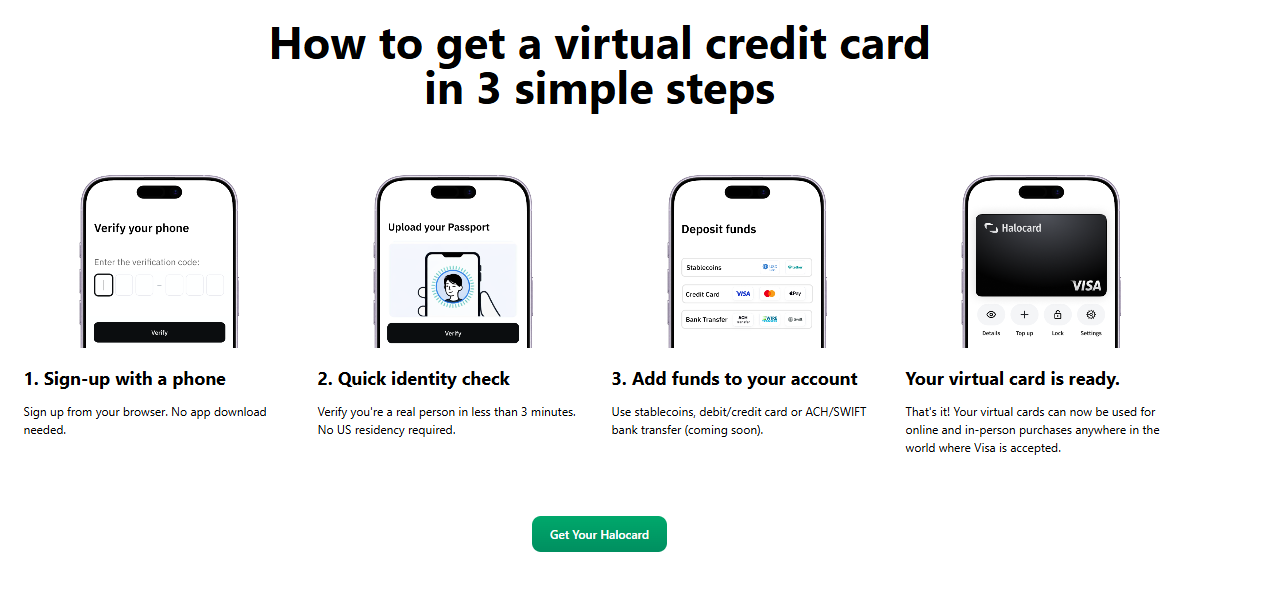
3 steps to create your virtual credit card
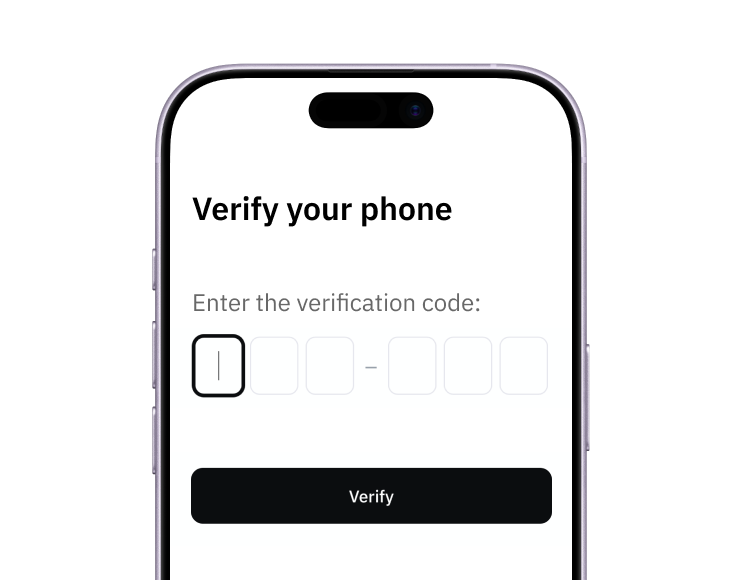
1. Sign-up with a phone
Sign up from your browser. No app download needed.
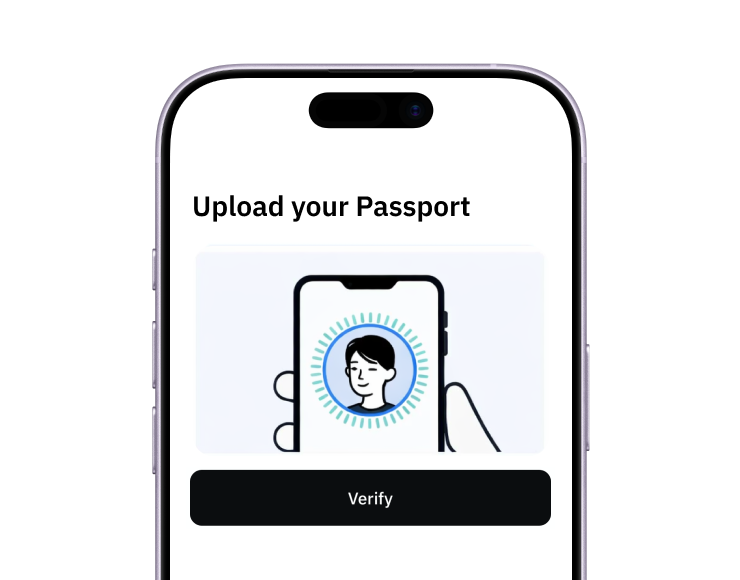
2. Quick identity check
Verify you're a real person in less than 3 minutes. No US residency required.
3. Add funds to your account
Use stablecoins, debit/credit card, or bank transfer (1%).
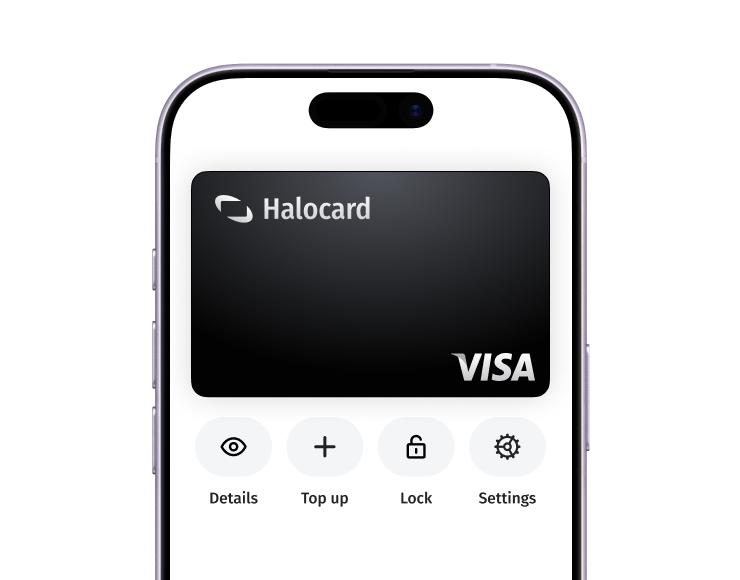
Your virtual card is ready.
That's it! Your virtual cards can now be used for online and in-person purchases anywhere in the world where Visa is accepted.